
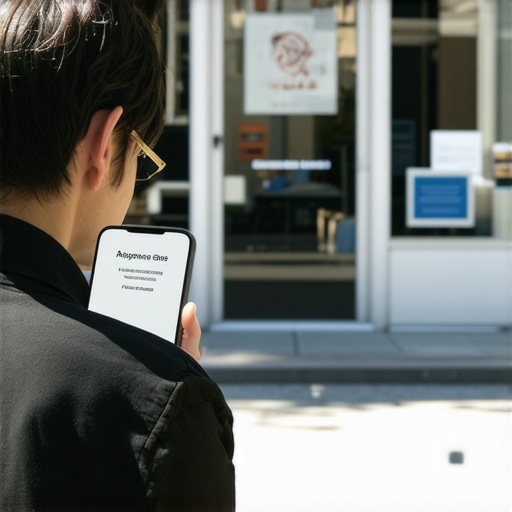
The Tiny Address Error That Sends Your Customers to the Competition
Imagine this: A potential customer is stranded on the side of the road with a flat tire or, worse, standing in a flooded kitchen because a pipe just burst. They pull out their smartphone and search for “emergency plumber near me.” Your business appears. You have great reviews. You have the right services. But there is a problem you aren’t even aware of. Your Google Business Profile says you are at “123 Main St, Suite 200,” while your Yelp profile says “123 Main Street, #200,” and your website footer simply lists “123 Main St.”
To a human, these are clearly the same place. To Google’s hyper-sensitive local algorithm, this is a data conflict. While the customer tries to click the “Directions” button, the GPS leads them to a confusing alleyway because your map pin is slightly off, or the ambiguity in your address signals to Google that your business might not be as “prominent” or “reliable” as the competitor three blocks away who has perfect data. The customer, in a rush, clicks the next result. Just like that, a $500 service call – and a potential lifelong customer – has vanished. This is the invisible leak in your local revenue, and it is caused by the “tiny” address errors you’ve been told to ignore.
As a local SEO expert, I have spent years helping businesses rank higher on google maps. I have seen multi-million dollar firms lose significant market share because of a “Suite” versus “Unit” discrepancy. In the world of google business profile seo, precision isn’t just a preference; it is the currency of trust. If you want to rank google business profile listings in the coveted Local 3-Pack, you must understand that Google is no longer just a search engine – it is an entity-matching engine.
Defining NAP and the “Entity” Problem
In the local SEO industry, we use the acronym NAP: Name, Address, and Phone number. For years, the advice was simple: “Make sure they match.” But as the algorithm has evolved, the “why” behind this advice has become more complex. Google isn’t just looking for a string of text that matches across the web. Instead, Google is trying to identify a “Single Entity.”
Research from industry leaders like Brandon Leuangpaseuth suggests that inconsistent NAP prevents Google from recognizing your business as a single, cohesive entity. When Google crawls the web and finds variations of your address, it doesn’t just “pick the best one.” It begins to lose confidence. If Google’s “trust score” for your business entity drops, your local maps ranking drops along with it. Google’s primary goal is to provide the user with the most accurate, reliable information possible. If the algorithm is even 5% unsure about where your front door is actually located, it will hedge its bets by showing a competitor whose data is 100% consistent.
This “Entity recognition” is the bedrock of local business seo. Your business exists in the real world, but to Google, you are a collection of data points. If those data points are fragmented, your “Local ranking strength” is diluted. This is why google business profile optimization must begin with a ruthless audit of how your address is represented across the digital landscape.
The “Tiny” Errors That Do the Most Damage
Many business owners believe that as long as the zip code is right, they are fine. This couldn’t be further from the truth. Let’s break down the specific technical errors that act as anchors on your rankings.
1. Abbreviations: The “St.” vs “Street” Debate
While Google’s AI is getting better at understanding that “St.” means “Street,” inconsistencies still create friction. If your google business profile seo uses “Boulevard” but your top 10 citations use “Blvd,” you are forcing the algorithm to perform extra processing to reconcile those listings. In a highly competitive niche, any amount of algorithmic friction can be the difference between ranking #3 and #4. Represent your business as it’s consistently represented and recognized in the real world – this is an official Google guideline for a reason.
2. Suite and Unit Numbers: The Primary Cause of “Ghosting”
Missing or mismatched suite numbers are a primary cause of what we call “ghosting” in the map pack. If you are in a large office complex or a strip mall, your suite number is your unique identifier. Without it, Google may struggle to distinguish your business from the five other businesses at the same street address. If your GBP says “Suite 500” but your Facebook page says “#500,” you are creating an entity conflict. We often see businesses “reclaim their map spot” simply by standardizing their sub-premises information. For businesses with multiple locations, using the “bulk upload spreadsheet” format from Google Help is the best way to ensure every “Unit” and “Suite” is formatted identically across the board.
3. Old Data and Residual “Digital Ghosts”
Did your business move three years ago? Even if you updated your Google Business Profile, there is a high probability that an old listing on a forgotten directory like YellowPages or a local chamber of commerce site still lists your old address. This residual data creates a “conflict of truth.” Google sees two different locations for the same business name and concludes that the data is unreliable. This is why fixing the citation errors that send customers to your competitors is a critical first step in any recovery project.
4. The “Pin” Problem: Last-Mile Navigation
One of the most overlooked aspects of google maps seo is the physical placement of the map pin. Google allows you to manually adjust your pin, and you should. Often, Google’s automated system places the pin in the geometric center of a building or, worse, in the middle of a parking lot. If a customer follows GPS and it tells them “You have arrived” while they are still 100 yards from your front door, their “pogo-sticking” (driving around frustrated or clicking back to the search results) sends a negative signal to Google. Recent technical research into google maps ranking service strategies highlights that moving the pin to the exact entrance of the business can improve user experience signals, which indirectly boosts rankings.
Why Google’s Algorithm Penalizes “Messy” Data
To understand why a tiny address error matters, you have to understand the three pillars of local SEO: Proximity, Relevance, and Prominence. Messy address data attacks all three.
- Proximity: If your address is inconsistent, Google’s calculation of how close you are to the user becomes fuzzy. In the “near me” era, distance is measured in feet, not miles.
- Relevance: Google wants to show the “nearby business they’d like to visit.” If your data is messy, Google loses trust in your business’s existence. An “unreliable” business is not relevant to a user looking for a professional service.
- Prominence: Prominence is partially based on what Google knows about a business from across the web (links, articles, directories). If your NAP is inconsistent, Google cannot “aggregate” all your prominence signals into one entity. You might have 50 great citations, but if the addresses are all slightly different, Google might only attribute 10 of them to your actual GBP.
Essentially, Google is risk-averse. It does not want to recommend a business to a user if there is a chance the user will show up and find a locked door or an empty lot. By cleaning up your address data, you are reducing Google’s perceived risk in recommending you. For a deeper look at how these signals are evolving, read about how Google Business Profile ranking signals are shifting toward user intent.
The Financial Cost of Being “Almost” Right
In local search, there is no prize for fourth place. The “Local 3-Pack” receives the vast majority of clicks and calls. If you are sitting at #4 because of a minor NAP inconsistency or a misplaced pin, you are effectively invisible to 70% of your potential market.
Consider the “Map Pack” dynamics. When a user sees three options, they often choose based on proximity and reviews. However, if your address data is “almost” right, Google might display your business with a “Missing: Suite #” warning or, worse, show your pin in the wrong neighborhood. This leads to missed calls and “failed directions” events. Every time a user clicks “Directions” and then cancels the navigation because the destination looks wrong on the map, your google maps ranking takes a hit. You aren’t just losing that one customer; you are telling the algorithm that you aren’t a good result for future customers.
Using professional local seo services to identify these leaks is often the highest ROI investment a small business can make. It’s not about buying more ads; it’s about making sure the “digital front door” you’ve already built is actually easy to find. If you suspect your pin is the issue, you can perform a quick audit to reclaim your map spot and see if you’ve been “ghosted” by the algorithm.
Step-by-Step: Auditing Your Address Accuracy
You don’t need to be a coding genius to fix these issues, but you do need to be meticulous. Use this checklist to perform your own NAP audit:
- Verify with the USPS: Go to the official USPS Look Up a Zip Code tool. Enter your address. See exactly how the Postal Service formats your “Street,” “Avenue,” and “Suite.” This is the “Gold Standard” that Google uses to validate locations.
- Audit Your Top Tier Citations: Check your business on Yelp, Bing Places, Apple Maps, and Facebook. Ensure the address matches the USPS format exactly.
- Check for Duplicate Listings: Sometimes address errors result in “duplicate” profiles. One profile might have the right address, and another might have the old one. These must be merged or deleted to improve google maps ranking.
- Use Technical Tools: Manual searching is tedious. Use local seo tools like SEO Viper Tools to automate the search for inconsistencies across hundreds of directories. Using a google business profile audit tool from SEO Viper Tools can reveal hidden errors that you would never find through a simple Google search.
- The “Pin” Test: Open Google Maps on your phone. Search for your business. Zoom in as far as possible. Is the pin on the roof of your building? Is it over the entrance? If it’s in the parking lot or on the street behind your building, move it.
If this seems overwhelming, remember that 6 small profile changes can actually move the needle on rankings. You don’t have to fix everything in one day, but you must start with the foundation: your address.
2026 Trends: AI Search and Address Precision
As we move toward 2026, the stakes for address precision are getting even higher. We are entering the era of AI-driven local search. AI agents like Google Gemini, Perplexity, and Apple Intelligence don’t just show a list of links; they provide “Answers.”
When a user asks Gemini, “Where is the nearest open dentist that takes my insurance?”, the AI synthesizes data from your GBP, your website, and third-party reviews. If your address is fragmented, the AI may experience “hallucinations” or simply exclude you because it cannot verify your physical location with 100% certainty. We are already seeing cases where a shop is invisible to Perplexity and Gemini AI searchers because of minor data conflicts. To increase google business profile visibility in the future, your NAP must be machine-readable and perfectly consistent.
Furthermore, the rise of autonomous vehicles and advanced “last-mile” delivery systems means that “close enough” is no longer an option for map data. Your business needs to be a “Verified Entity” that AI systems can trust implicitly.
Conclusion: Reclaiming Your Local Dominance
Local SEO is often portrayed as a dark art involving complex backlink strategies and keyword stuffing. While those elements have their place, the reality is that google business profile seo is primarily about trust, accuracy, and user experience. A tiny address error – a missing “Suite 102,” a “St.” instead of a “Street,” or a map pin placed 50 feet too far to the left – is a signal to Google that your business is not ready for the spotlight.
These errors are silent killers. They don’t trigger a “penalty” notification in your dashboard; they simply cause you to slowly drift down the rankings until you are no longer in the Local 3-Pack. By performing a rigorous NAP audit and using the right local seo software from providers like SEO Viper Tools, you can plug the leaks in your revenue and ensure that when a customer is looking for your services, they find you, not your competition.
Don’t let a minor technicality stand in the way of your growth. Whether you choose to master map services with advanced techniques yourself or hire a professional google maps ranking service to clean up your digital footprint, the time to act is now. Every day you wait is another day your customers are being sent to the competition.
Ready to dominate? Start by looking at your front door through Google’s eyes. Is your address perfect? If not, fix it today and watch your google business profile optimization efforts finally pay off. For more expert tips, explore our guide on unlocking local map dominance and take control of your local market.