How to Track Local Keywords Without Driving to Every Parking Lot in Town
Picture this: You’re a plumber, a roofer, or an HVAC contractor. You’ve spent months optimizing your website and your Google Business Profile. You’re sitting in your office, you pull out your phone, and you search for “plumber near me.” Boom. There you are, sitting pretty at #1 in the Map Pack. You feel like the king of the mountain.
Then, you drive three miles down the road to pick up supplies. You check again. Suddenly, your business is nowhere to be found. You’re on page two, or worse, buried under a mountain of competitors you know don’t have half your reputation. You spend the next hour driving to different parking lots across the city, frantically refreshing your browser, trying to figure out where your “invisible line” of visibility starts and ends.
This is the Proximity Paradox. It’s the frustrating reality that in the world of local search, your ranking isn’t a single number – it’s a moving target dictated by the physical location of the searcher. If you want to scale your business, you can’t spend your life playing detective in a van. You need a way to see the whole board at once. This is why understanding how to rank higher on google maps through intelligent tracking is the only way to survive in 2026.
In this guide, I’m going to break down why your current tracking methods are failing you and how to use a professional google maps rank tracker to visualize your reach without burning a drop of gasoline. For more on this specific phenomenon, check out our deep dive on Why Your Map Pin Only Shows Up When You Are Standing In The Office.
The Three Pillars of Local Ranking: Proximity, Relevance, and Prominence
To track local keywords effectively, you first have to understand what Google is actually measuring. According to Google’s own documentation, local results are based primarily on three factors: Relevance, Distance (Proximity), and Prominence. These three pillars form the foundation of any successful local search optimization strategy.
1. Proximity (Distance)
This is the most “stubborn” factor. It’s how close the searcher is to your physical business location. In recent years, Google has tightened the “proximity filter.” This means that even if you are the best business in the city, Google might favor a mediocre business simply because the searcher is standing 500 feet from their front door. This is why a google maps rank tracker is essential; it shows you exactly where your “proximity wall” is.
2. Relevance
Relevance is how well your google business profile seo matches what someone is searching for. Google uses Neural Matching and advanced AI to understand intent. If someone searches for “emergency pipe repair,” and your profile only mentions “general plumbing,” you may lose out on relevance even if you are closer to the searcher. To rank google business profile effectively, your data must be hyper-specific.
3. Prominence
Prominence is essentially your business’s “fame.” It’s calculated based on information Google has about a business from across the web (like links, articles, and directories). Review count and score also factor into prominence. This is the lever we pull to overcome the proximity filter. If your prominence is high enough, Google will “stretch” your visibility further away from your office than your competitors.
Understanding these pillars is the first step in moving away from manual searching and toward a data-driven approach using local map pack seo techniques.
Why Manual Searching is a Local SEO Trap
Many business owners believe they can get an accurate picture of their rankings by using “Incognito Mode” on their browser. Let me be clear: Incognito mode is a lie when it comes to local SEO.
When you perform a manual search, Google isn’t just looking at your search history. It is looking at your IP address, your Wi-Fi triangulation, and your GPS coordinates. Even if you aren’t logged into a Google account, the search engine knows exactly which neighborhood you are in. If you are standing in your shop, Google knows. It will almost always show you your own business because you are the most “proximate” result.
Furthermore, manual searching creates a “bubble” effect. You see a snapshot of one single point in time from one single coordinate. It doesn’t tell you that if you moved 400 yards to the West, you’d drop to position #7. This leads to a false sense of security and poor marketing decisions. For a more detailed explanation of this data skew, read Why Most Small Business Owners Misread Their Map Insight Data.
To truly understand your market share, you need to stop looking through a keyhole and start looking at a satellite map.
Enter the Geogrid: Visualizing Your Local Reach
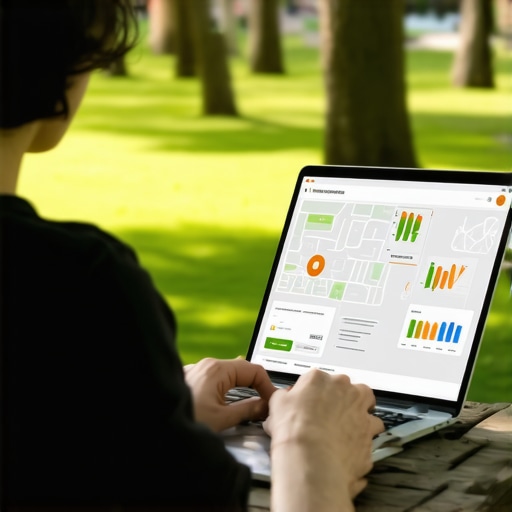
The solution to the proximity paradox is the Geogrid. Instead of checking a single rank for a city, modern local seo software uses a grid-based system to check your rankings at hundreds of specific coordinates simultaneously.
Imagine a map of your city with a 13×13 grid of dots overlaid on it. Each dot represents a search performed at that exact GPS coordinate. A google maps rank tracker will tell you that at the center dot (your office), you are #1. But it might also show you that three miles North, you are #2, and five miles East, you are #14.
This visualization is called a Heatmap. It allows you to see your “Share of Voice” in real-time.
- Green Zones: Areas where you dominate. You don’t need to spend more ad money here.
- Yellow Zones: Areas where you are on the cusp of the Map Pack (#4 or #5). These are your biggest opportunities for growth.
- Red Zones: Areas where you are invisible. This tells you exactly where you need to focus your hyperlocal content and citation efforts.
Using local seo ranking tools to generate these grids is the only way to get an honest audit of your business. You can stop guessing and start targeting specific neighborhoods. As we often say, you should Stop Tracking Whole Cities: Why Neighborhood Data Wins the Local SEO War.
Essential Tools for the Modern Local SEO
The landscape of local search optimization has shifted. In the past, you could get by with a few citations and a decent website. Today, the competition is fierce, and the algorithm is smarter. You need gmb seo tools that can handle the heavy lifting of data collection.
Why use automated tools instead of manual tracking?
- Scalability: You can track 50 keywords across a 15×15 grid in seconds. Doing that manually would take a week of driving.
- Historical Data: These tools track your progress over time. You can see if a specific algorithm update helped or hurt your visibility.
- Competitor Analysis: A good google maps rank tracker doesn’t just show you where you rank; it shows you who is beating you in the “Red Zones.” You can then analyze their profiles to see what they are doing differently.
As we head into Local SEO trends 2026, the focus is shifting toward user intent and AI-driven results. If you aren’t using google maps seo tools to monitor these shifts, you are essentially flying blind. The investment in professional software pays for itself the moment you identify a “Yellow Zone” and convert it into a “Green Zone,” capturing dozens of new leads that were previously going to your competitors.
How to Use Tracking Data to Move Your Map Pin
Once you have your geogrid data from your google maps rank tracker, what do you actually do with it? Data without action is just a pretty map. Here is how you use those insights to increase google business profile visibility in the areas where you are currently losing.
1. Hyperlocal Content Creation
If your geogrid shows you are weak in a specific suburb or neighborhood, create content on your website specifically for that area. Mention local landmarks, neighborhood names, and specific services you’ve performed there. This signals to Google’s “Relevance” algorithm that you are an authority in that specific coordinate.
2. Targeted Review Strategy
Reviews are a massive factor in “Prominence.” If you have a cluster of “Red” or “Yellow” dots in a certain part of town, reach out to your past customers in that specific area. Ask them to leave a review and mention their location. When Google sees a pattern of happy customers in a specific zip code, it is more likely to “stretch” your map pin into that area. For a step-by-step guide on this, see The 10-Point Checklist for Dominating Hyperlocal Map Searches.
3. Citation Cleanup and Expansion
Ensure your Name, Address, and Phone number (NAP) are consistent across the web. Use google business profile optimization techniques to ensure your primary and secondary categories are perfectly aligned with the keywords you are tracking. If you are tracking “AC Repair” but your primary category is “HVAC Contractor,” you might be missing out on “Relevance” points.
4. Local Link Building
Backlinks from local organizations (the Chamber of Commerce, local little league teams, neighborhood blogs) carry immense weight in local SEO. They prove to Google that you aren’t just a business in the city, but a business of the city.
Conclusion: From Ghost Pin to Local Dominance
The days of driving from parking lot to parking lot to check your rankings are over. Proximity will always be a factor in Google’s algorithm, but it is not a death sentence for businesses located on the edge of town. By using a professional google maps rank tracker, you can visualize the “Proximity Paradox,” identify your weak spots, and deploy targeted strategies to expand your reach.
Don’t let your business be a “ghost pin” that only appears when you’re standing in your own office. Take control of your local presence by auditing your profile and tracking your data with the right local seo tools. The map is a battlefield, and you can’t win if you can’t see where the enemy is standing.
Ready to see your true reach? Stop Guessing: The Tools We Use to Audit Map Pins in Under Five Minutes and start your journey toward local dominance today. Whether you are a solo contractor or a multi-location agency, the data is there – you just have to look at it.