
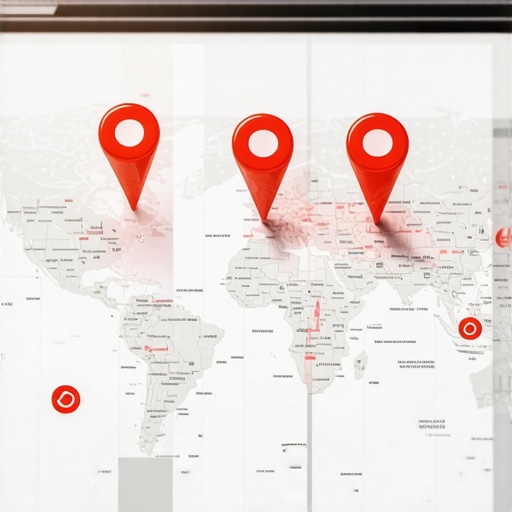
Fixing the Spam Filter That Hides Your Real Business Locations
I spent three months fighting a hard suspension for a plumbing client whose listing was nuked simply because they shared a suite number with a defunct law firm. Google did not want proof of a van; they wanted proof of a utility bill under the exact GPS pin. The air in that basement office smelled like wet concrete and damp paper, a physical reminder of the grit required to win a fight against an algorithm that does not care about your revenue. This was not a simple glitch. It was a proximity suppression event triggered by a legacy data ghost. When you are buried in the Map Pack, it is rarely because your SEO is bad. It is usually because your business identity has been mathematically filtered out by a system designed to kill spam first and ask questions later.
The ghost in the GPS coordinates
A local spam filter hides your business when the algorithm detects multiple entities at a single coordinate or suspects your location is a virtual office. This proximity filter prioritizes a single, high-trust listing and suppresses everything else within a specific radius to prevent user confusion. To break this filter, you must establish unique physical hardware signals and verified utility documentation that matches your NAP data perfectly.
The algorithm operates on a centroid logic. If you are operating out of a coworking space, you are likely fighting a merged profile error that prevents your pin from appearing. Google sees the same building, the same floor, and the same primary category. It then picks the winner based on historical prominence. I have seen legitimate contractors lose 90 percent of their lead flow because a competitor moved into the office next door. The system cannot distinguish between two HVAC companies in the same hallway, so it simply hides the one with the weaker trust signals. This is the reality of the hyper-local layer. You are not just competing on keywords. You are competing for the right to exist in a three-dimensional spatial database. If your data is messy, you are invisible. You can find our step-by-step fix for fake address suspension disasters to understand the documentation required to prove your physical presence.
“Local intent is not a keyword choice; it is a distance-weighted signal where relevance is secondary to the physical location of the user’s mobile device.” – Map Search Fundamental
Why your physical address is a liability
Virtual offices and shared coworking spaces trigger high-risk flags because they are the primary tools used by lead-generation scammers. To recover, you must provide secondary evidence like permanent exterior signage, photos of staff inside the office, and business licenses tied to that specific suite. Google uses street view data and third-party commercial real estate databases to verify if a location is a legitimate place of business or a mail drop.
The filter is often a silent killer. Your profile remains active in the dashboard, but when you search from a block away, you are nowhere to be found. This usually happens when the system detects duplicate content issues across multiple location pages or when your NAP data is inconsistent. If you are a service area business, the risk is even higher. Hiding your address does not always protect you; sometimes it just removes the anchor point Google needs to trust you. I once tracked a locksmith who was filtered out because his business license was registered to his home, but his profile used a rented mailbox. The mismatch was enough to trigger a partial suspension. You need to know why real businesses get suspended to avoid these common traps. Using the service area business guide to recovering lost map impressions is a good start for those without a storefront.
The three mile radius that determines your revenue
The proximity radius for most local searches is roughly three miles, and if you are outside this circle or filtered within it, your phone will stop ringing. This behavioral zooming means the algorithm calculates the distance between the user and your verified GPS pin to determine if you are a relevant solution. Improving your rank requires narrowing your focus to the immediate vicinity before attempting to scale your reach to the wider city.
We see this in the way Google Business Profile now handles service areas. If your polygons are too wide, the trust score dilutes. The engine prefers a tight, verified radius over a massive, unverified territory. When a business experiences a sudden drop in rankings, it is often because a new competitor with a closer physical pin has entered the market. The algorithm shifts the map pack to favor the newcomer. To fight back, you need to look at the technical fixes that moved our map pin higher. It is not just about reviews. It is about the math of the location. If you are struggling, you might be recovering your map visibility after switching to a hidden address, which requires a specific set of trust signals to overcome.
Local Authority Reading List
- Maintaining Map Presence from a Home Office
- Real Reasons for Profile Suspensions
- Tools for Competitor Keyword Identification
- Signs of a Deranked Site
- Ranking Toolkits vs Manual SEO
- Fixing Local 404 Errors
The forensic trace of a service area polygon
Google analyzes the movement of your service vehicles and the location of your customer reviews to verify your service area polygons. If your profile claims to serve a fifty mile radius but all your reviews come from a five mile cluster, the spam filter will shrink your visibility to match the behavioral data. This is why buying reviews from users outside your region is a fast way to get flagged for negative SEO.
I have audited accounts where the owner tried to use cheap backlink packages to boost their map presence, only to find they were actually hurting their trust score. The algorithm looks for natural, local signals. It wants to see links from the local chamber of commerce, not a random blog in another country. If you have been hit, you need services to restore trust signals for local seo that focus on legitimate, hyper-local mentions. You should also be identifying the toxic links that are keeping your pin suppressed. A clean link profile is the foundation of local trust.
“Local search success is 20 percent content and 80 percent physical and digital verification of your actual existence at a specific coordinate.” – Map Search Fundamental
Technical recovery for the suppressed listing
To recover a suppressed or filtered listing, you must audit your primary category, clear your anchor text of over-optimized keywords, and fix any technical errors on your website. Start by removing keywords from your business name that do not appear on your legal documents, as this is a primary trigger for the spam filter. Then, ensure your website has no broken redirects or 404 errors that signal a lack of maintenance to the crawl bots.
Many businesses fail because they are over-optimizing their anchor text. If every link to your site says “best plumber in Dallas,” the filter assumes you are manipulating the results. You need to scale back your anchor text and focus on branded terms. Additionally, check for broken redirects which can bleed away your local authority. If your rankings have vanished, follow our recovery action plan to systematically rebuild your profile. Often, the the category switch is the fastest way to jump out of a filtered result if you are stuck in a high-competition bucket.
The math of a local trust score
Your local trust score is a combination of your NAP consistency, the velocity of your customer engagement, and the quality of your site’s local schema. Google uses these data points to decide if you are a real business or a temporary lead-gen site. If your phone number changes frequently or your website is slow, your trust score drops, and the filter tightens. You must treat your profile as a living entity that requires daily attention.
Engagement is a massive factor. If people click your profile but never call, Google thinks you are not a good match for the intent. You should use the no-fluff toolkit for turning profile views into phone calls to ensure you are actually driving leads. If you are managing multiple spots, you need the one tool to manage multiple map locations to keep your data synchronized. Remember, a single mismatched suite number can trigger brand confusion that takes months to fix. Stay clean, stay local, and keep your data as sharp as a razor.